6 min read
What's New in SaaS Pro Max: Pilot, a Claude Connector, and a Rebuilt Console
SaaS Pro Max now has Pilot, an in-console agent that acts only with approval, a hosted MCP connector for Claude and code editors, live views, and a redesigned console.
Abdurashid Akbarov · 6 min read · #saas-pro-max #product-analytics #mcp #ai-agents
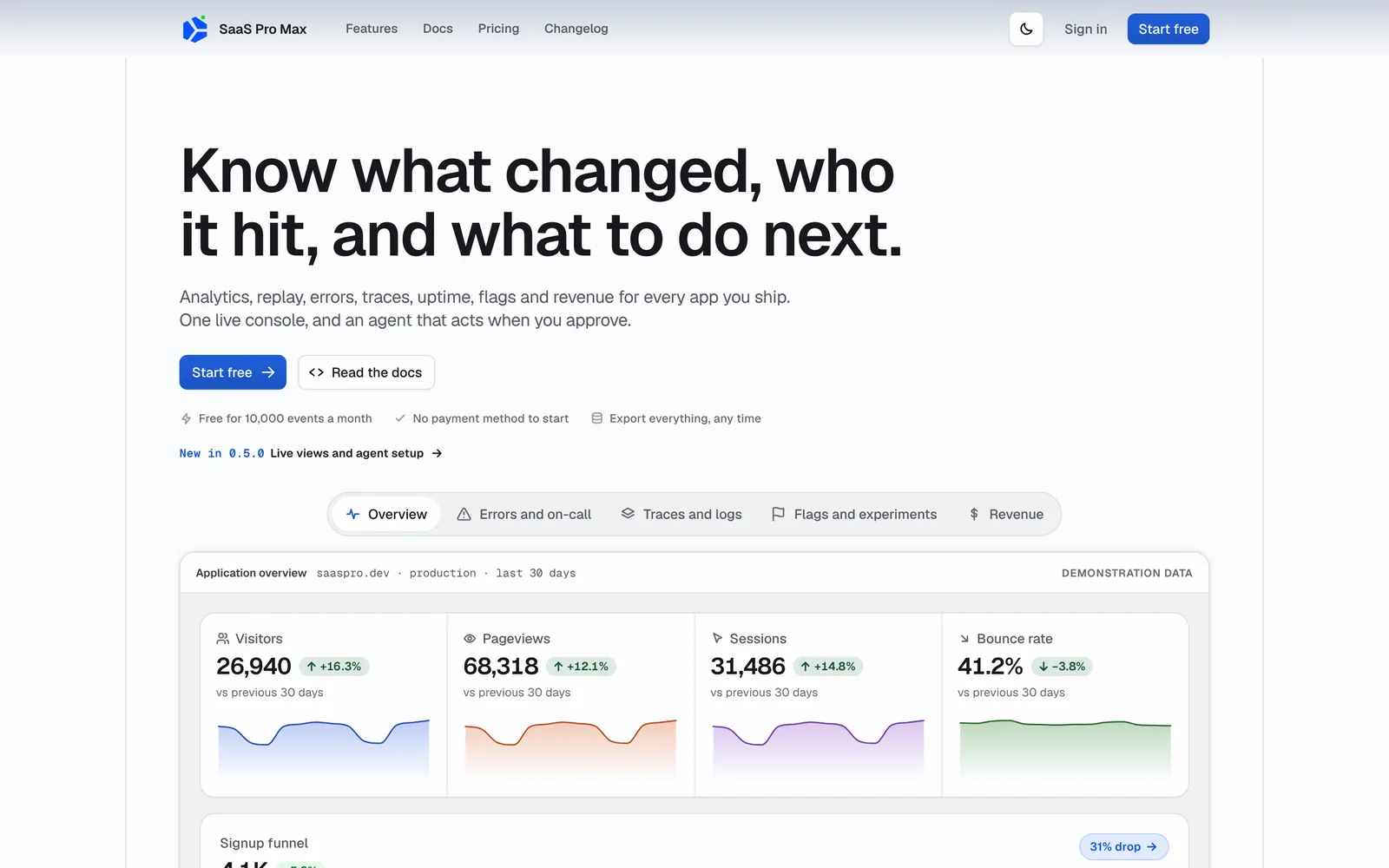
SaaS Pro Max is the console I build for teams that ship apps: product analytics, session replay, errors, traces, uptime checks, feature flags and revenue in one place, all reading from one event schema. When I wrote the SaaS Pro Max case study in September, the goal was to put those signals in one console. The releases since then focus on what happens after a number moves: who notices, what they check next, and whether an agent can help without acting on its own.
Version 0.4.0 (October 7) rebuilt the console. Version 0.5.0 (October 8) added live views and agent setup. The following week brought Pilot, a hosted connector for Claude and code editors, and agent command access.
The screenshots in this post come from a local build of the current version with its built-in demonstration data.
A console that starts with what needs attention
The overview page now opens with a Needs attention list: regressed issues, open incidents, a failing uptime monitor, failed webhook deliveries, a failed evaluation run, or a campaign waiting for approval. Each row links to the page where you can act on it. Traffic, sessions, bounce rate and conversions follow underneath.
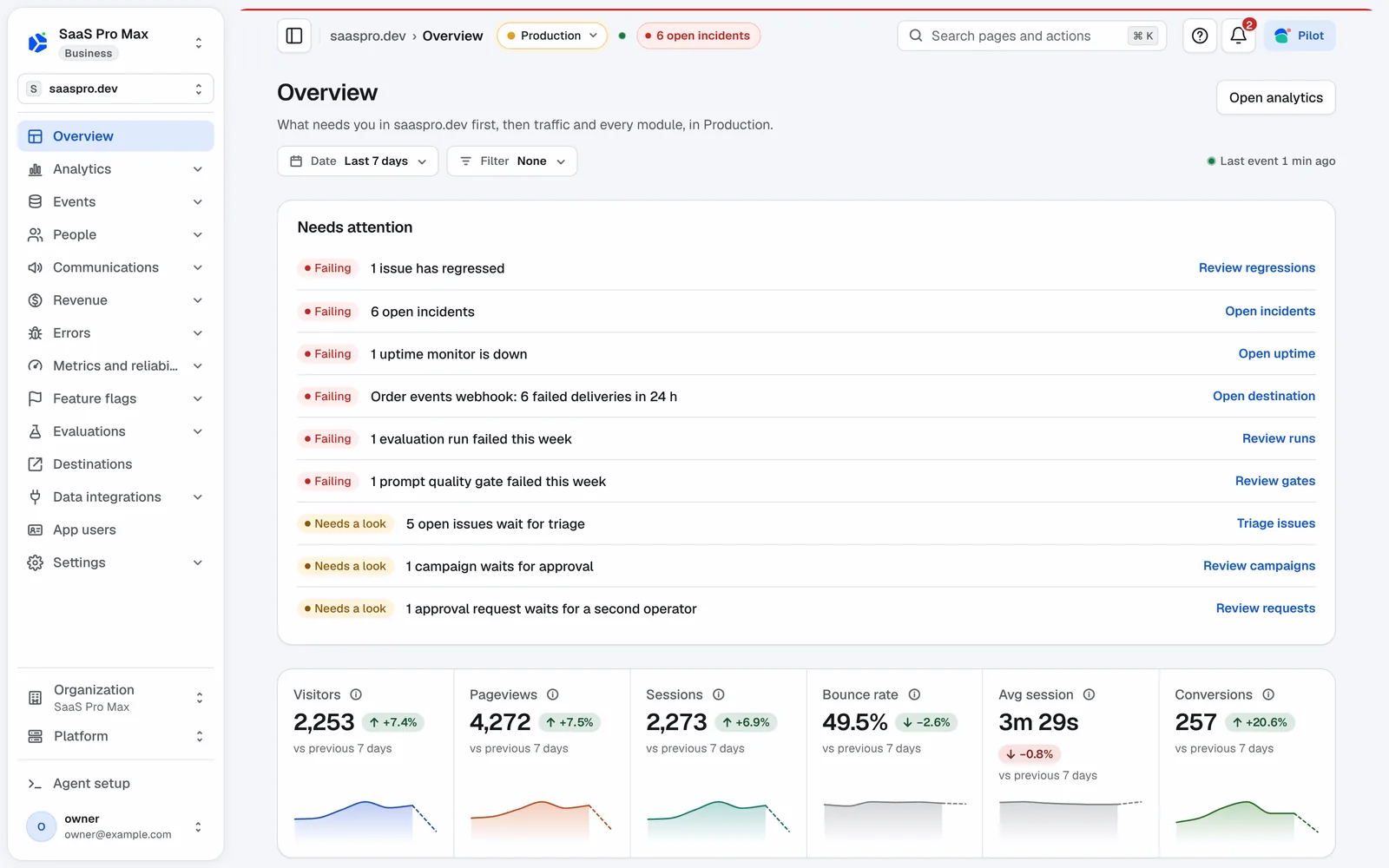
The redesign started with a 223-item UI and UX audit. The main changes:
- One chart engine. Any chart can switch to a table of its numbers or download them as CSV.
- New chart types, including status strips, a Sankey diagram, an MRR bridge and retention curves.
- Each status color now means one thing everywhere, and the dark mode was rebuilt.
- Sortable tables across analytics, people, flags, errors, revenue and settings. On phones, tables fold into cards.
- Keyboard shortcuts with
gchords and a cheat sheet. Cmd+K now also jumps straight to a person, issue, flag or segment by name. - Analytics has a Why did this move? panel, and Locations has a world map.
Pilot: an agent that proposes and waits for approval
The in-console assistant used to be called Ask. On October 9 it became Pilot, and it is included on every plan, including Free.
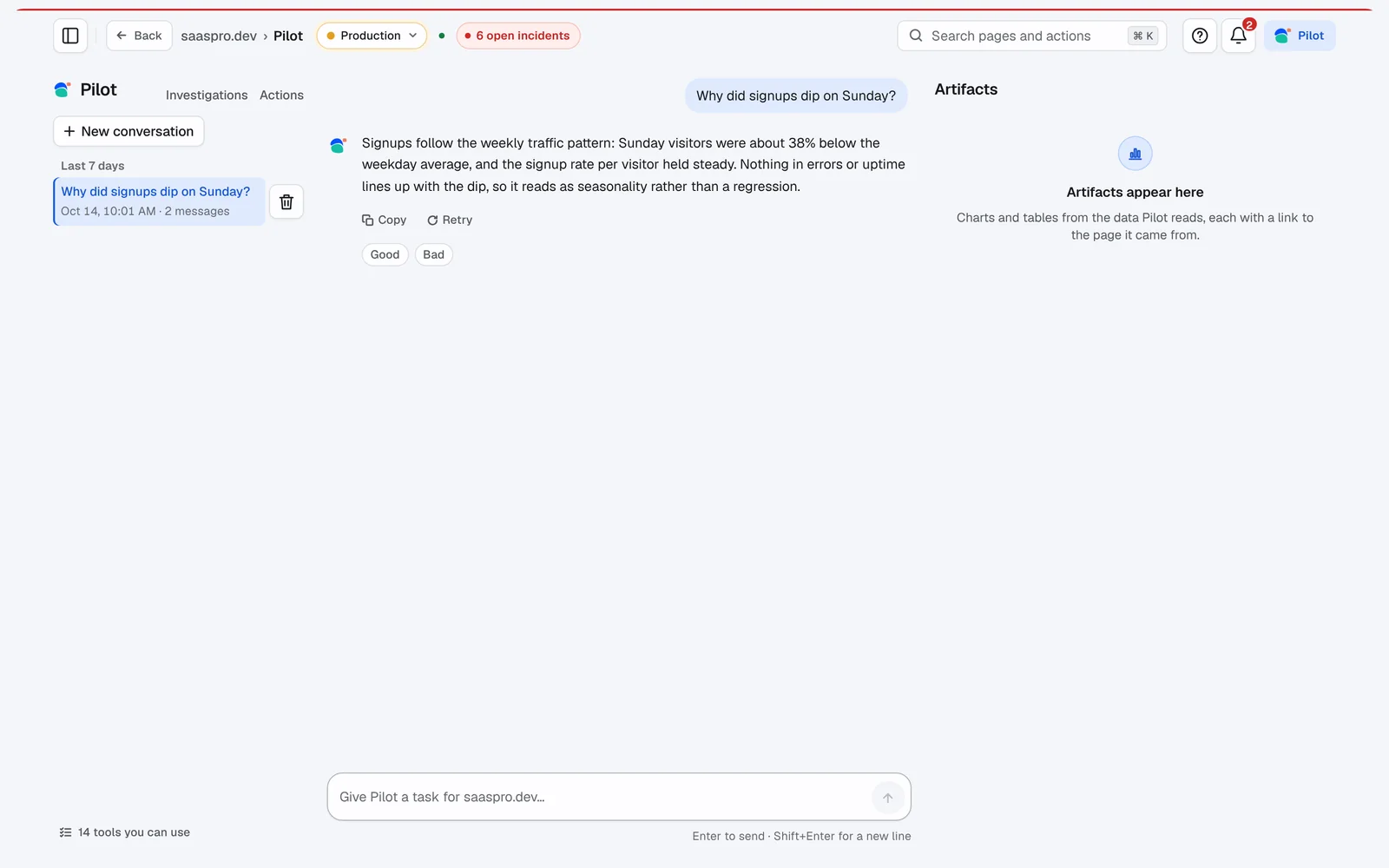
Pilot can use the Management API as its tools, but it follows the same rules as a team member:
- Reads run without interruption. Every answer cites the tools it used, and Pilot is instructed not to invent numbers.
- Writes are proposals. Changing a flag or a segment creates a request that a member approves.
- Destructive changes need more. They require a typed reason and a fresh passkey confirmation.
- External sends go to approval. Campaigns and ad destinations wait in the organization's approval queue.
- Personal data stays permission-gated. Pilot sees what the member is allowed to see.
Cmd+I opens Pilot with the current page as context, and charts and rows have an Ask about this action. You can rate an answer and pin it to a dashboard when a saved report reproduces it exactly. A bad answer can be sent to the Evaluations queue, so wrong answers become test cases.
Use your workspace from Claude and your editor
SaaS Pro Max now runs a hosted MCP server at https://saaspro.dev/api/mcp. Connecting an assistant does not require copying an API key:
- Add the connector in your assistant.
- Sign in with Google and your passkey, then choose an organization.
- Approve the access you want. Read-only is the default, and write and admin access are separate choices.
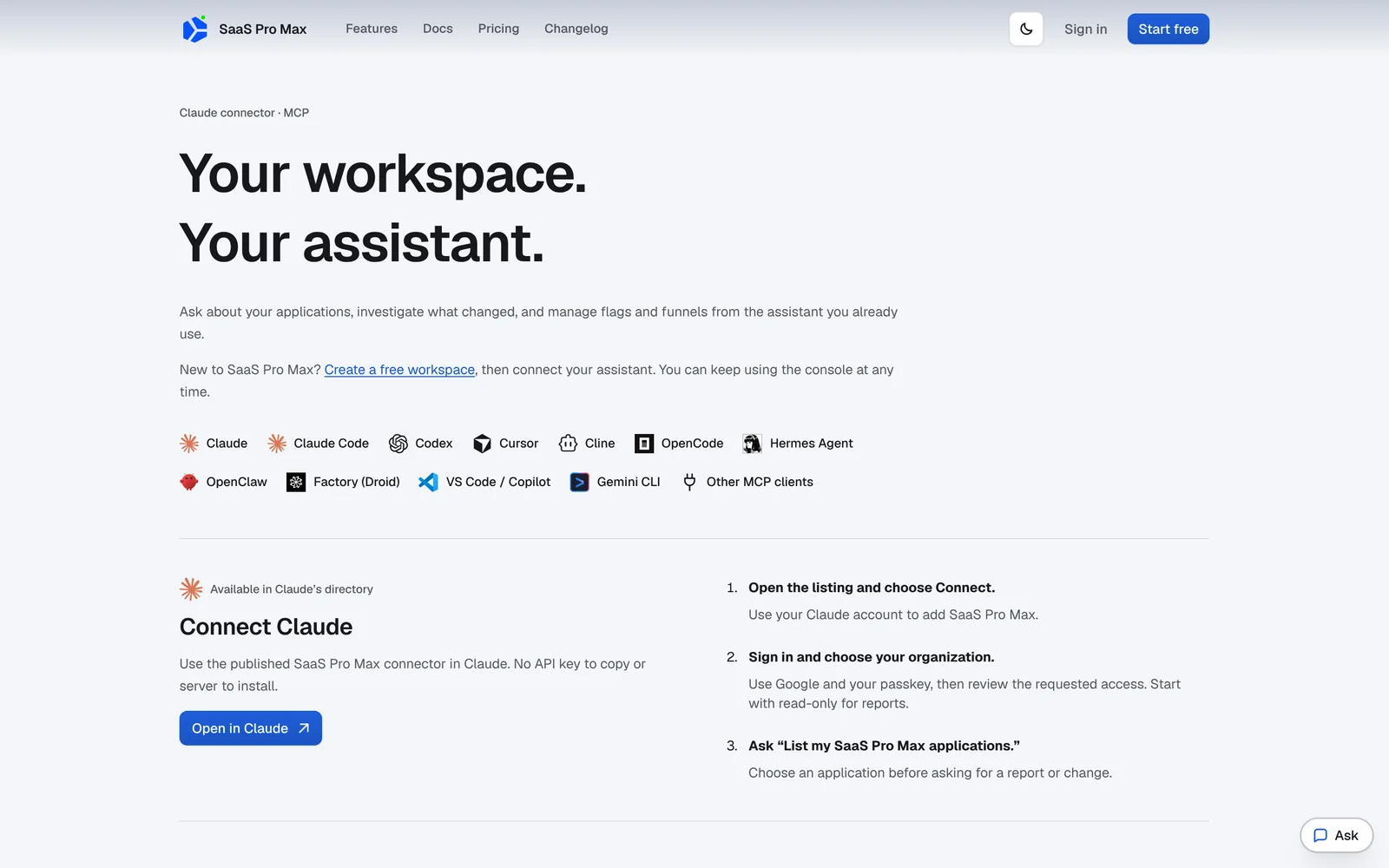
The connect page documents setup for ten clients: Claude Code, Codex, Cursor, Cline, OpenCode, Hermes Agent, OpenClaw, Factory (Droid), VS Code with Copilot, and Gemini CLI. The homepage lists 44 MCP tools.
Agents can also run console commands, but each command needs a person's approval. The agent prepares a command, a member approves it with a passkey, and only then can it run. An approval expires after ten minutes and covers only that member, token, command, target and input.
Setup pages and empty states now include a Set up with your coding agent prompt. It contains no secrets, so a new app can be instrumented from the editor.
Live views without a refresh button
Several screens now update while they are open:
- Notifications arrive without a reload.
- The issues list shows when an issue changes while you are reading it. You can resolve an issue in the next release, ignore it until it escalates, or snooze it.
- Logs stream in a live tail, and the analytics Live view and events feed add rows as events arrive.
- A flag evaluated in the last two minutes shows a live dot and its count for the last hour.
Automatic refreshes do not extend your session. An unattended tab still signs out after 30 idle minutes.
Funnels that show where people went
A funnel used to show the share of users who continued at each step. The default funnel view is now a flow. It shows who continued and where everyone else went.
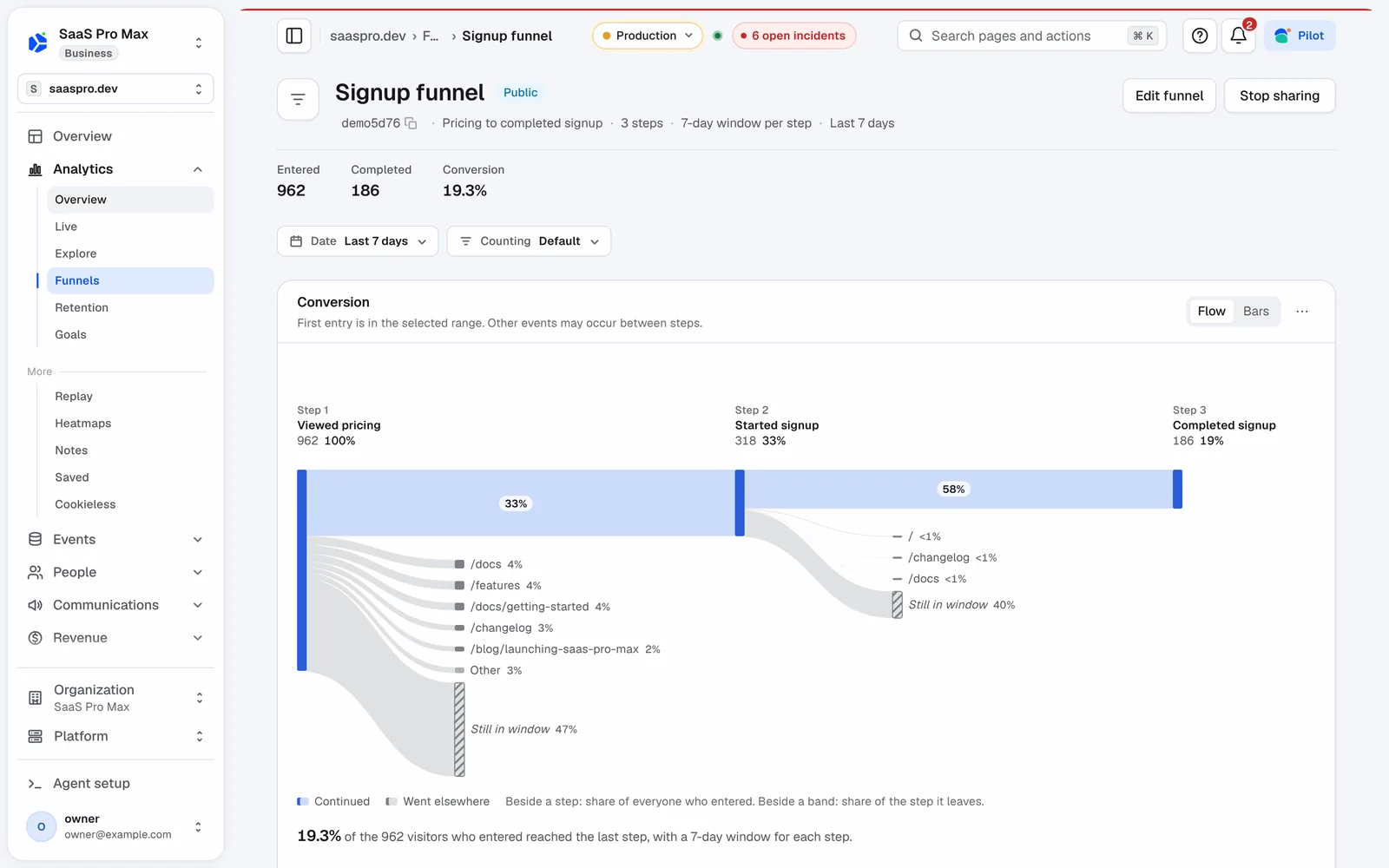
In this demo funnel, a third of the people who viewed pricing started a signup. The flow also shows how many visited the docs, the features page or the changelog instead, so the drop-off has a destination.
Uptime monitors with their own page
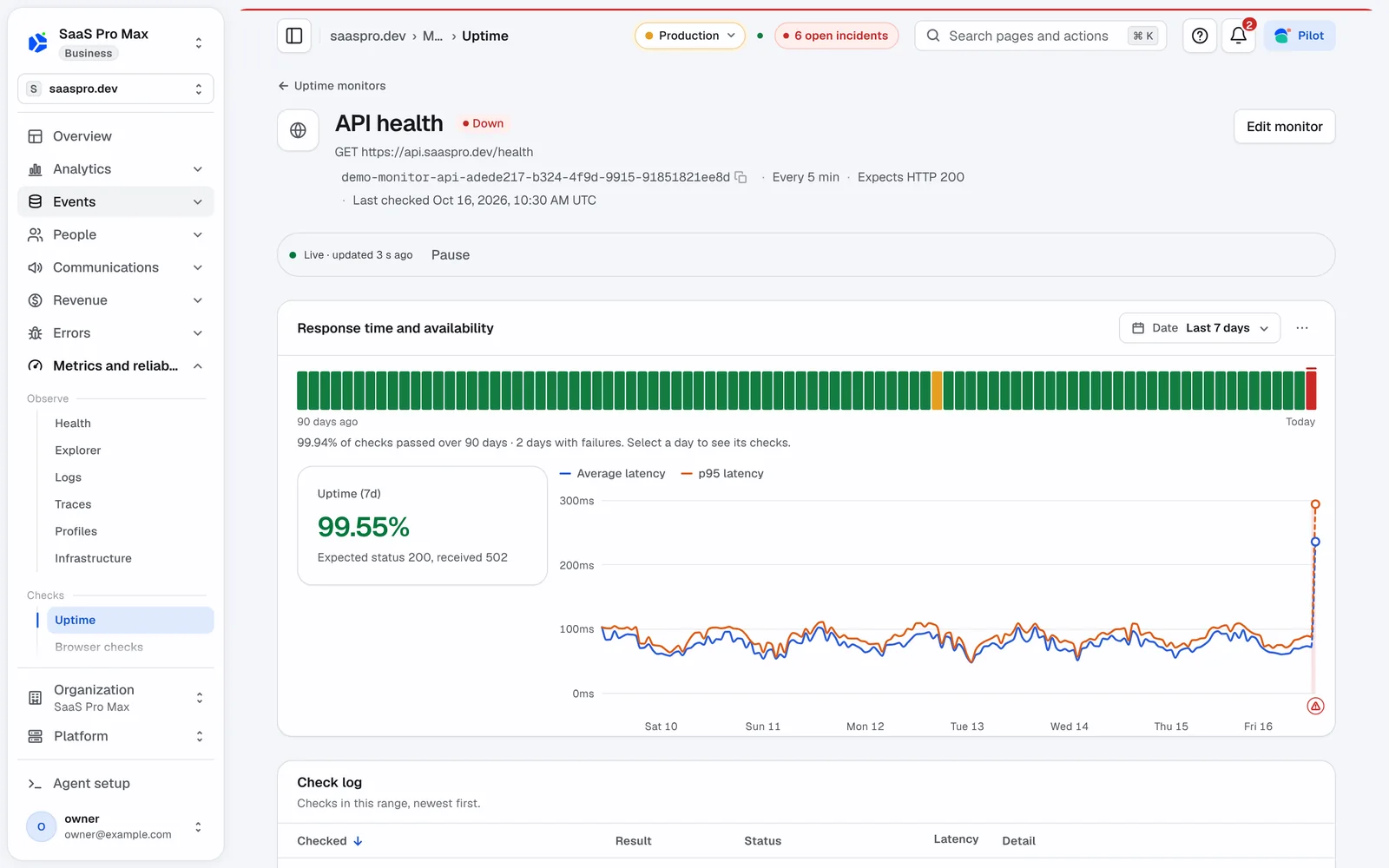
Each uptime monitor has its own page with a 90-day status strip, response-time and p95 latency charts, a check log, and its incidents. When you draft an alert rule, SaaS Pro Max replays the last seven days and shows when the rule would have fired.
Pricing and SDKs
Pricing did not change:
- Free: 10,000 events a month, and no payment method is needed to start.
- Starter: from $12 a month.
- Business: from $35 a month.
- Yearly billing: 30% off.
- Overage: no overage charges.
The only plan change is that Pilot is now part of every plan.
The SDKs are the same as before: browser, React, React Native, Node, Python, session replay and native crashes. The Node SDK reached 0.5.0, which adds connector-side sorting for app users.
Try it
You can start free on SaaS Pro Max, read the changelog, or connect your assistant from the connect page. The SaaS Pro Max case study explains the architecture underneath: one event envelope, one Postgres model, and tenant permissions checked on every request.